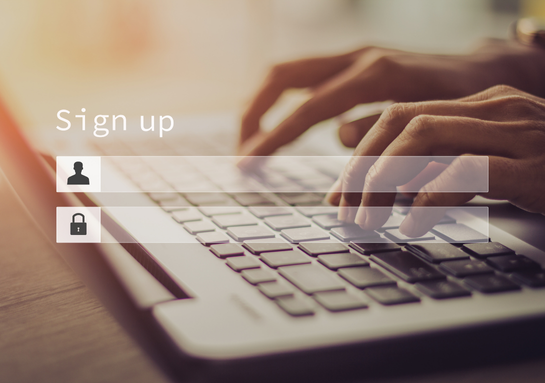
STEP 1: SIGN UP
Create your secure SAFE Document Shield account in under 2 minutes. Choose your plan (or it's automatically activated with LEGALSURANCE™).
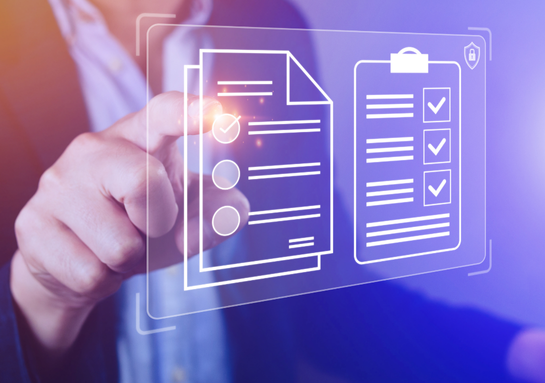
STEP 2: UPLOAD DOCUMENTS
• Web portal - Drag and drop from your computer
• Mobile app - Scan documents with your phone camera
• Email - Forward documents to your secure Document Shield email
• Bulk upload - Send us physical documents and we'll scan them for you

STEP 3: ORGANIZE & TAG
Our intelligent system automatically categorizes documents or you can create custom folders and tags for your organizational preferences.

STEP 4: ACCESS ANYWHERE
Log in from any device, anywhere in the world. Your documents sync instantly across all platforms.
STEP 5: SHARE SECURELY
Need to send documents to universities, embassies or employers? Generate secure sharing links with optional passwords and expiry dates.
STEP 6: STAY PROTECTED
Set up expiry alerts for passports, visas and insurance. Get notified before documents expire so you can renew on time.

USE CASES: REAL-LIFE SCENARIOS
SCENARIO 1: VISA RENEWAL
My passport was expiring while I was studying in the US. The Indian consulate needed multiple documents, but I was 500 miles away from my university during spring break. With Document Shield, I accessed everything instantly and emailed all required documents from my phone. Renewal approved in 2 weeks.
SCENARIO 2: EMERGENCY MEDICAL CARE
I had an accident in Canada and needed emergency surgery. The hospital required my medical history, vaccination records and insurance policy. I was in pain and couldn’t remember where I’d saved everything. Document Shield had it all organized. I shared the medical folder with the hospital in 30 seconds
SCENARIO 3: HOUSING LEASE DISPUTE
My landlord in London tried to keep my security deposit claiming damages I didn’t cause. I had uploaded my move-in inspection photos and lease agreement to Document Shield. I shared them with SAFE’s legal team immediately and they resolved the dispute in my favor within a week. Got my full deposit back
SCENARIO 4: LOST PASSPORT
I lost my passport while traveling in Europe during a semester break. Panic! But I had scanned copies in Document Shield. I accessed it from an internet café, printed the copies and went to the Indian embassy. Having the digital backup made the emergency passport process so much faster.
SCENARIO 5: JOB APPLICATION
A dream company in Australia asked for my transcripts, recommendation letters and previous internship certificates within 24 hours. It was midnight in India and my university was closed. Everything was already in Document Shield. I downloaded, compiled and sent within 30 minutes. Got the job!
SCENARIO 6: TAX FILING
Filing US taxes as an F-1 student was confusing enough without losing track of my financial documents. Document Shield automatically organized my bank statements, tuition receipts and scholarship letters by date. When I needed them for tax filing, everything was there—perfectly organized. Saved hours of frustration
FREQUENTLY ASKED QUESTIONS
Yes! If you purchase LEGALSURANCE™ for ₹30,000 + GST, SAFE Document Shield is included FREE throughout your entire course duration with unlimited storage and all premium features.
You can purchase Document Shield standalone for ₹2,999/year + GST or ₹7,999 + GST for 5 years.
LEGALSURANCE™ customers get unlimited storage. Standalone Annual Plan includes 100GB, and 5-Year Plan includes 200GB.
Yes! You can download documents to your device for offline access and viewing.
Absolutely. All uploads and downloads use end-to-end encryption. Your documents are encrypted before leaving your device and also, we are GDPR Compliant
Yes! You can generate secure sharing links with optional passwords and expiration dates. Recipients don't need a Document Shield account to view shared documents.
We support all common formats: PDF, JPG, PNG, DOCX, DOC, XLSX, XLS, PPT, PPTX, TXT, and more. If it's a document, we can store it.
Yes! Use our mobile app to scan physical documents with your phone camera. We also offer bulk scanning services for physical document collections.
As long as your subscription is active, your documents are stored permanently. LEGALSURANCE™ customers have lifetime access throughout their course duration and beyond.
Yes! You can download all documents in one click as a ZIP file, or export individual folders anytime.
Individual files can be up to 500MB each. If you have larger files, contact support for special arrangements.
The standalone plans are single-user. For team collaboration, contact us about our Enterprise Plan.
You'll have 60 days to download all your documents before the account closes. We never delete your data immediately upon cancellation.
We have multiple recovery options including email verification, security questions, and emergency contact verification. Your documents are always recoverable.
Yes, you can set up optional emergency access for designated family members with appropriate safeguards.